SMART HOME
PHYSICAL PRODUCT
3 min read
Designing Aura Home - A Futuristic Ambient Smart Home Hub That Unifies Security, Climate, Media, And Environment Into One Calm Interface.
Duration
2026 (Concept Project)
Project Role
Product Designer
METHODOLOGy
Concept Ideation, Interaction Design, Interface Design, 3D Product Visualization
Tools
Figma, Blender
Introduction
Aura Home is a conceptual smart home hub designed to rethink how home devices look and feel in modern interiors.
Most current smart home displays feel like mounted tablets, functional, but visually bulky and disconnected from the aesthetic of the space. Aura Home explores a more minimal, design-forward device that blends into the home while still handling the majority of everyday smart home interactions.
The goal was to design a device that feels like part of the environment - not just another screen.
Where the Idea Came From
The initial idea began with a simple observation:
Many smart home hubs today are large, tablet-like screens that prioritize functionality over aesthetic integration. While they work well, they often feel intrusive and visually heavy when installed in a living space.
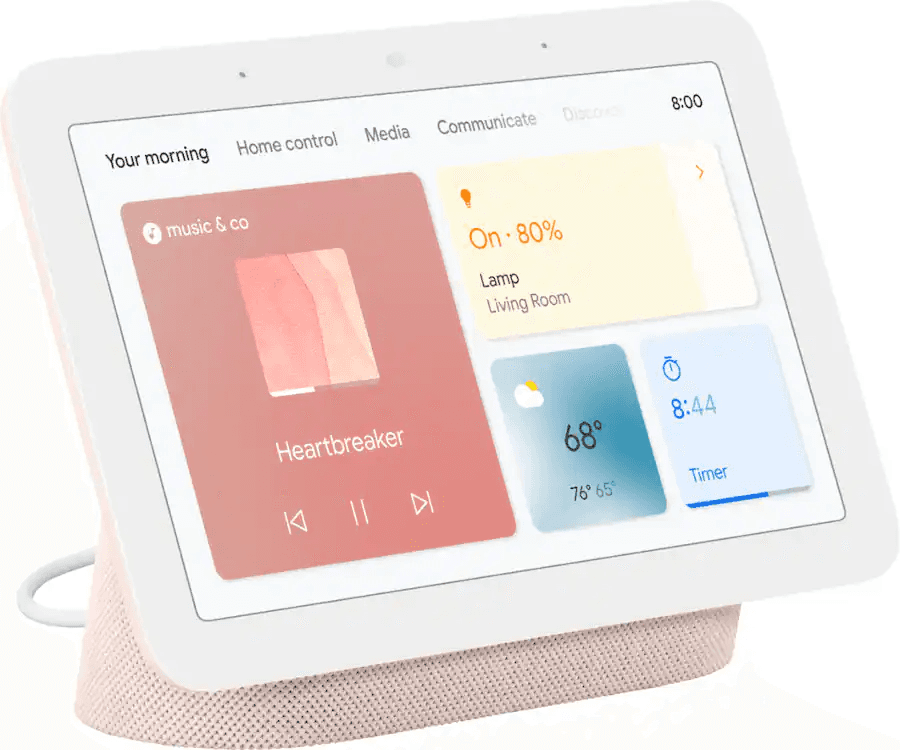
Google Nest Hub (2nd Gen)
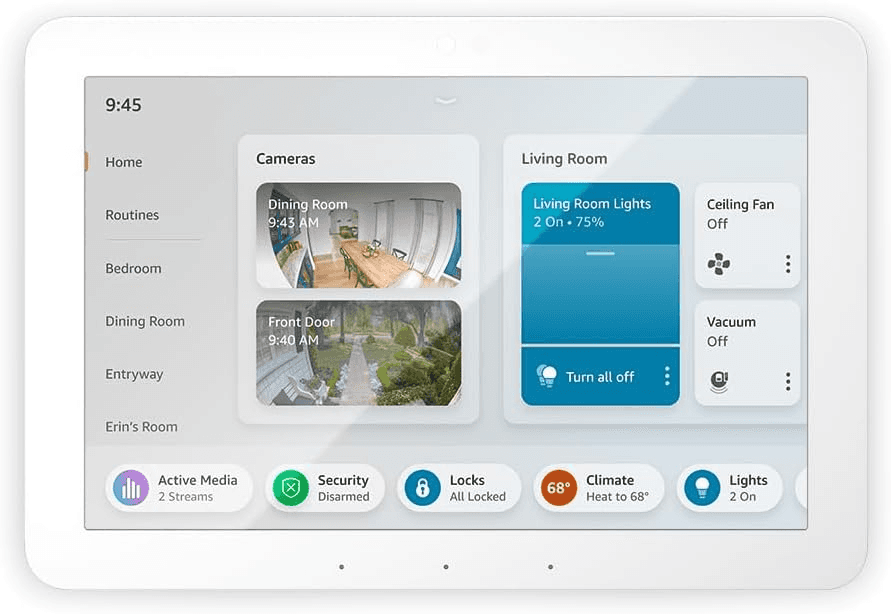
Amazon Echo Hub
I wanted to explore:
What if a smart home hub felt minimal and intentional?
What if it handled 70–80% of daily tasks directly on the device?
And more complex configuration could be completed on a mobile or desktop app?
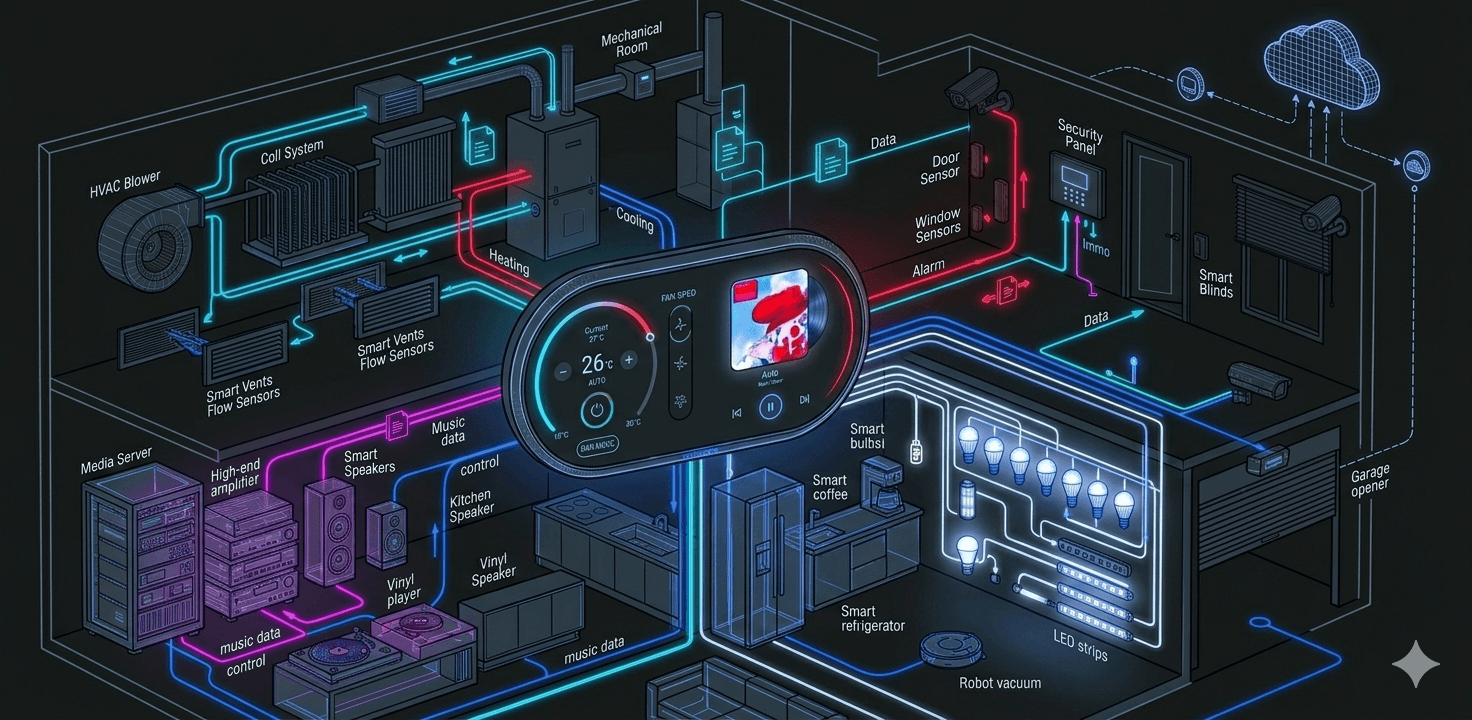
Aura Home was imagined as a device that focuses on essential, frequent actions - climate control, security monitoring, media playback, and environment overview, while leaving advanced setup and deeper configuration to companion devices.
This approach keeps the physical device simple, fast, and aesthetically calm.
First Interface Concept
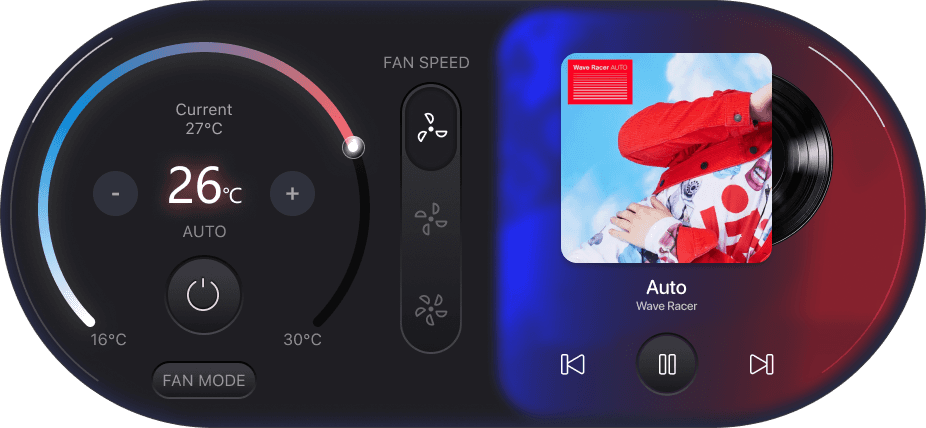
The design process began by exploring how core home functions could be simplified into a clear and calm interface.
The initial UI focused on four essential categories:
climate
security
media
environment
The goal was to create large, glanceable controls that could be quickly understood from across the room.
Visualizing the Product Form (AI)
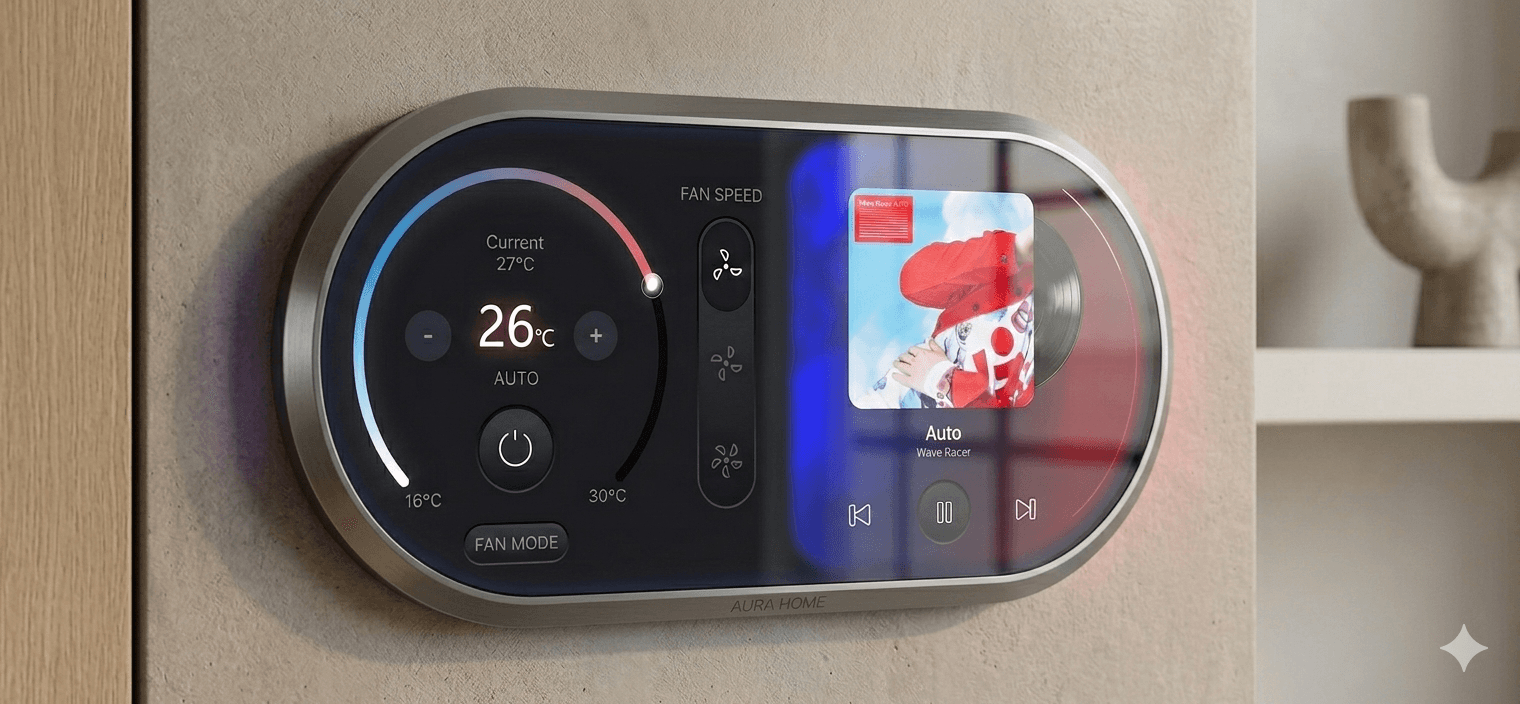
Once the interface concept was defined, the next step was exploring what the physical device could look like.
Using AI image generation tools, I experimented with different device shapes and display proportions to understand how the interface could live within a physical form.
This helped define the overall silhouette and product identity.
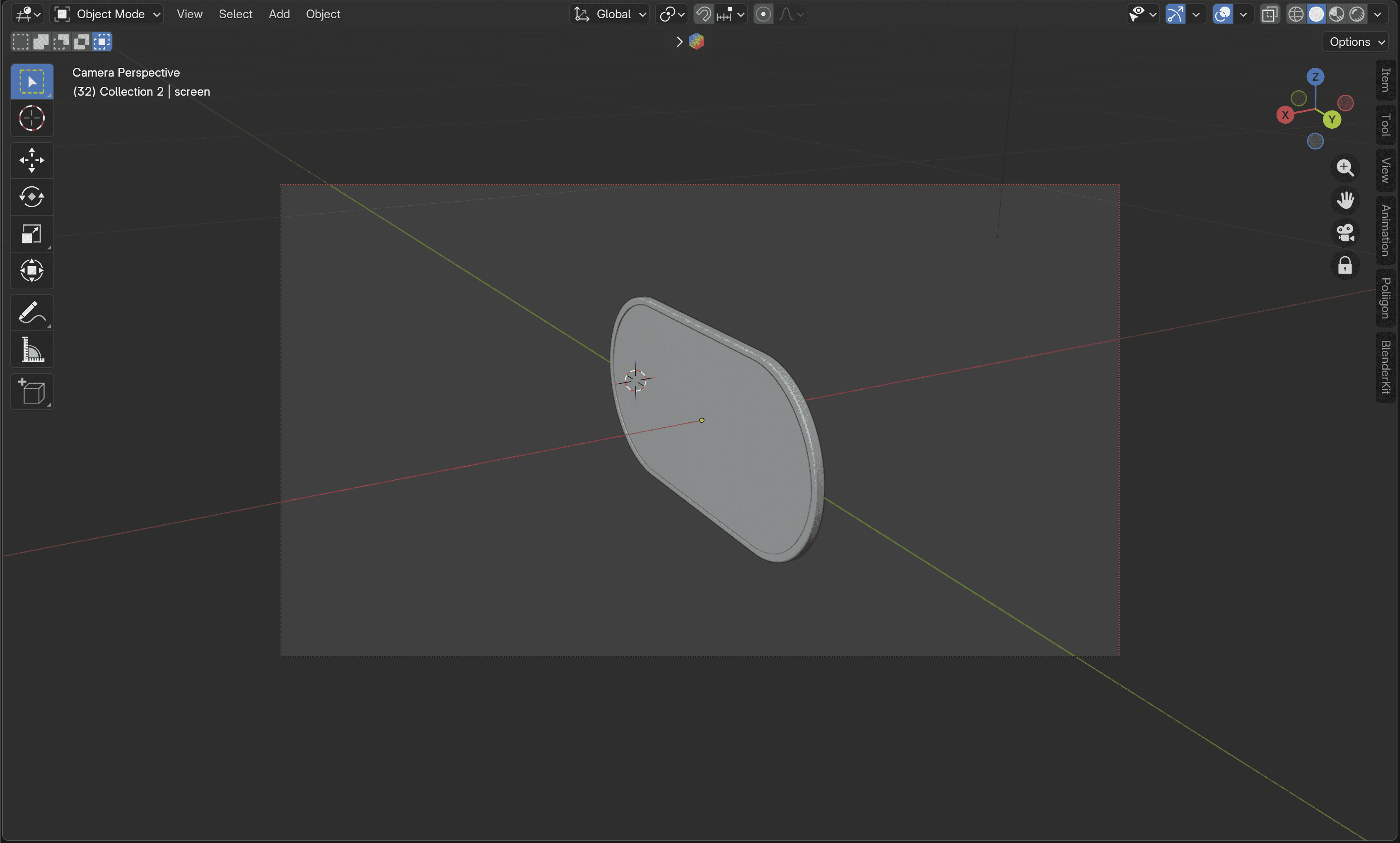
Building the Product Model
After identifying the product direction, I recreated the device using Blender to explore its physical form more accurately.
This allowed me to refine:
device proportions
screen size
curvature and edges
3D modeling helped visualize how the interface would feel as a real product.
Interface Design
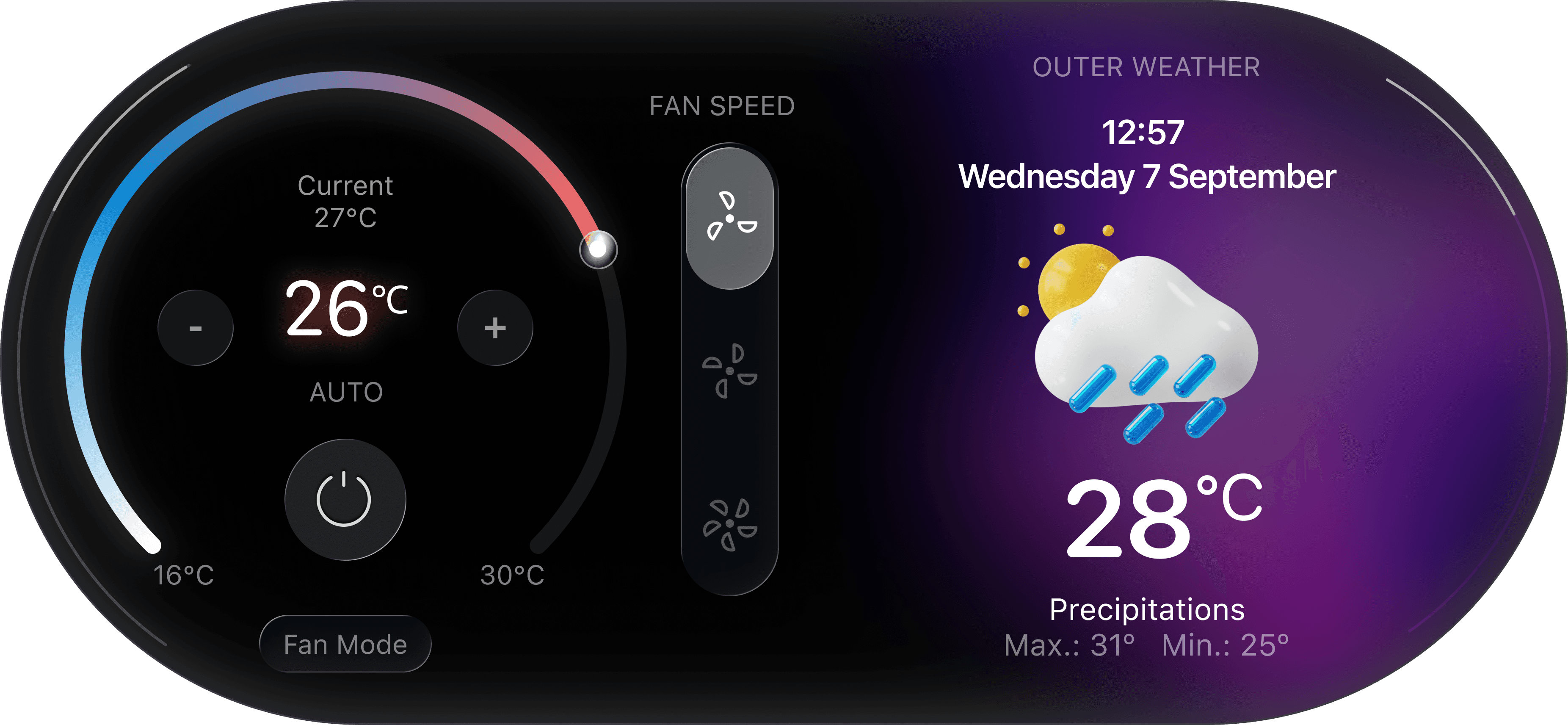
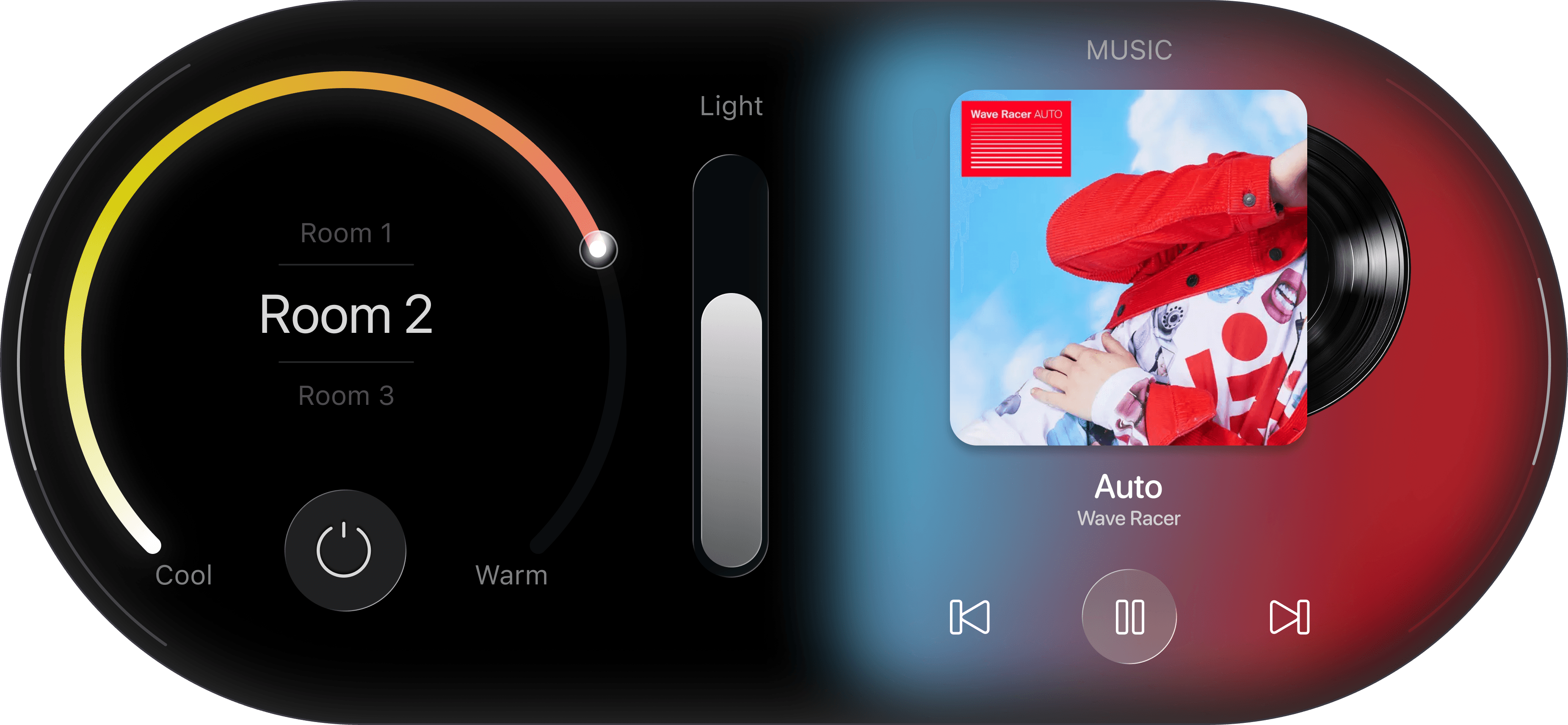
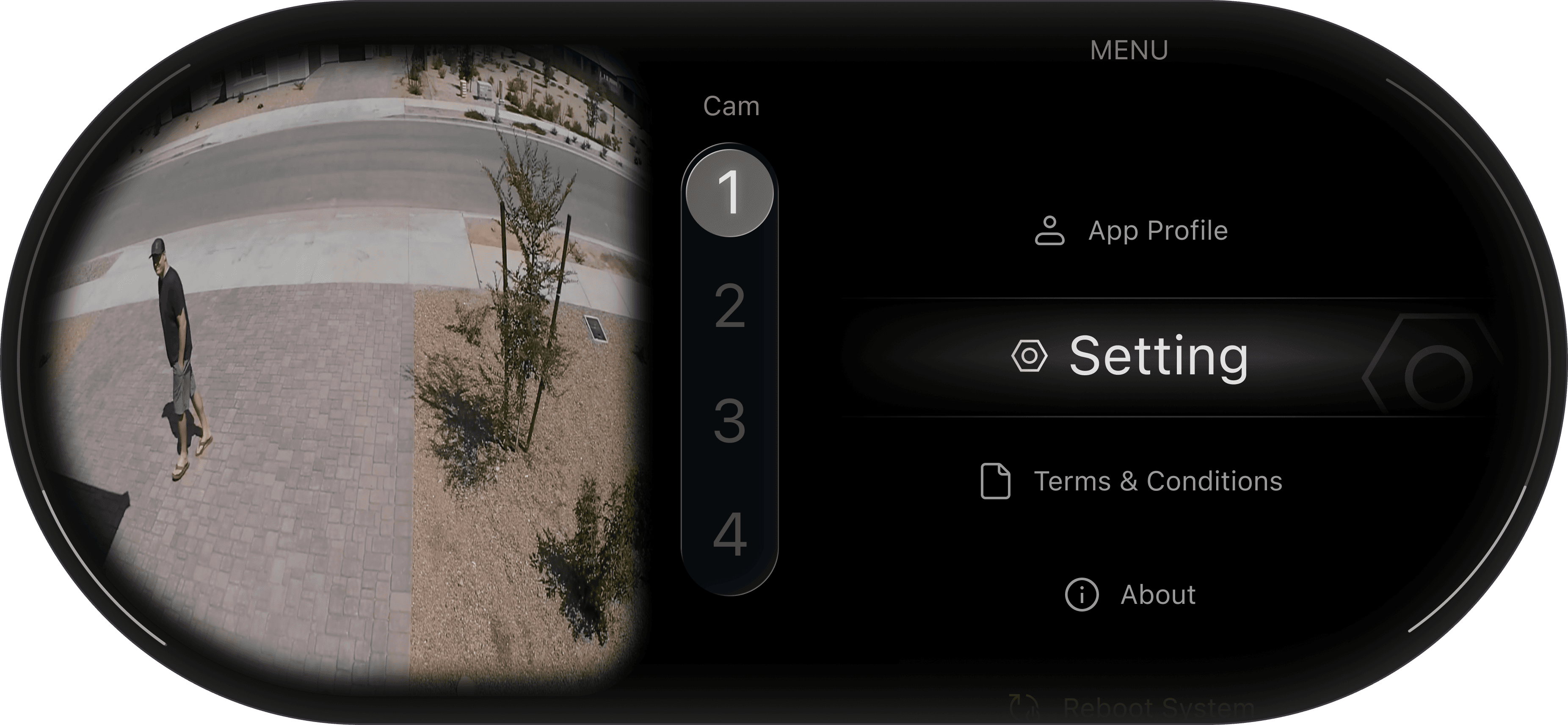
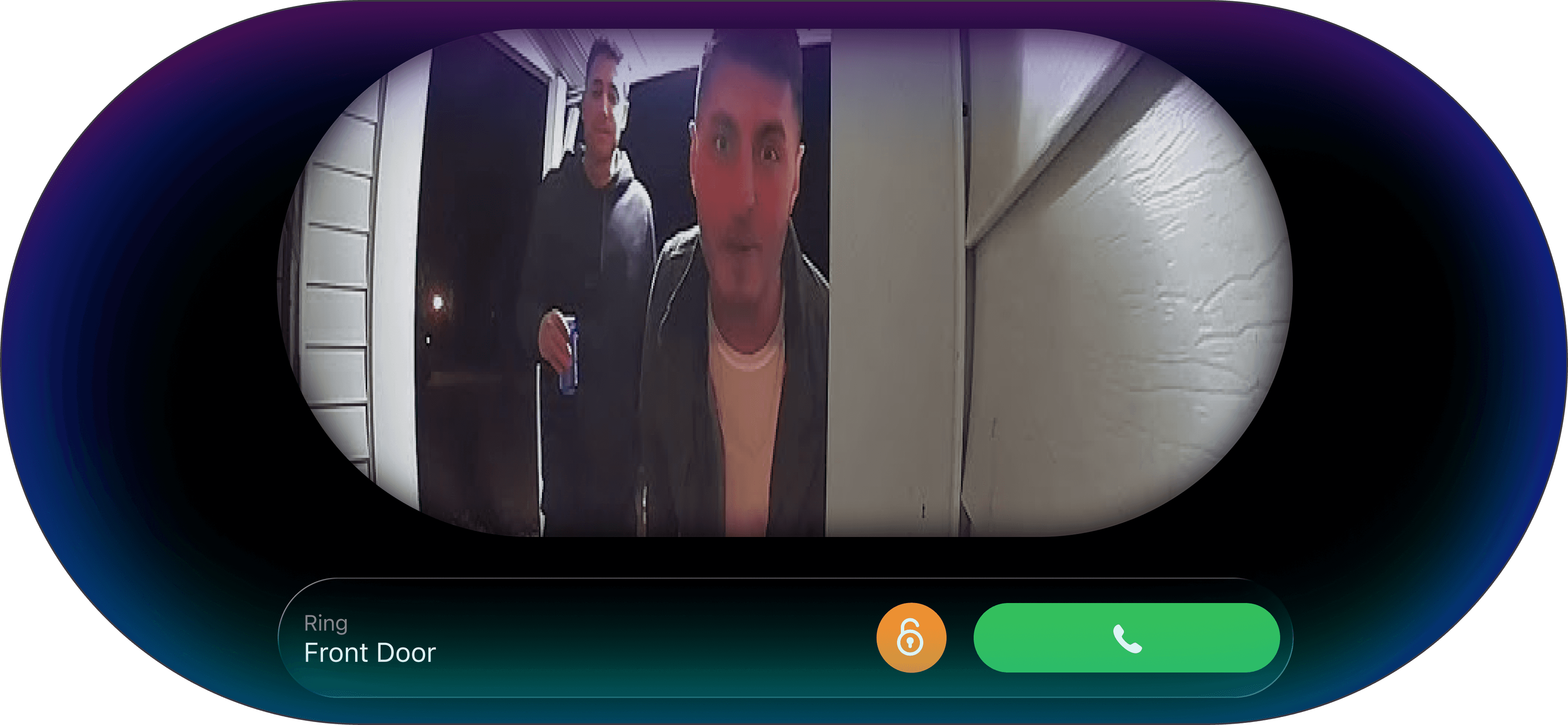
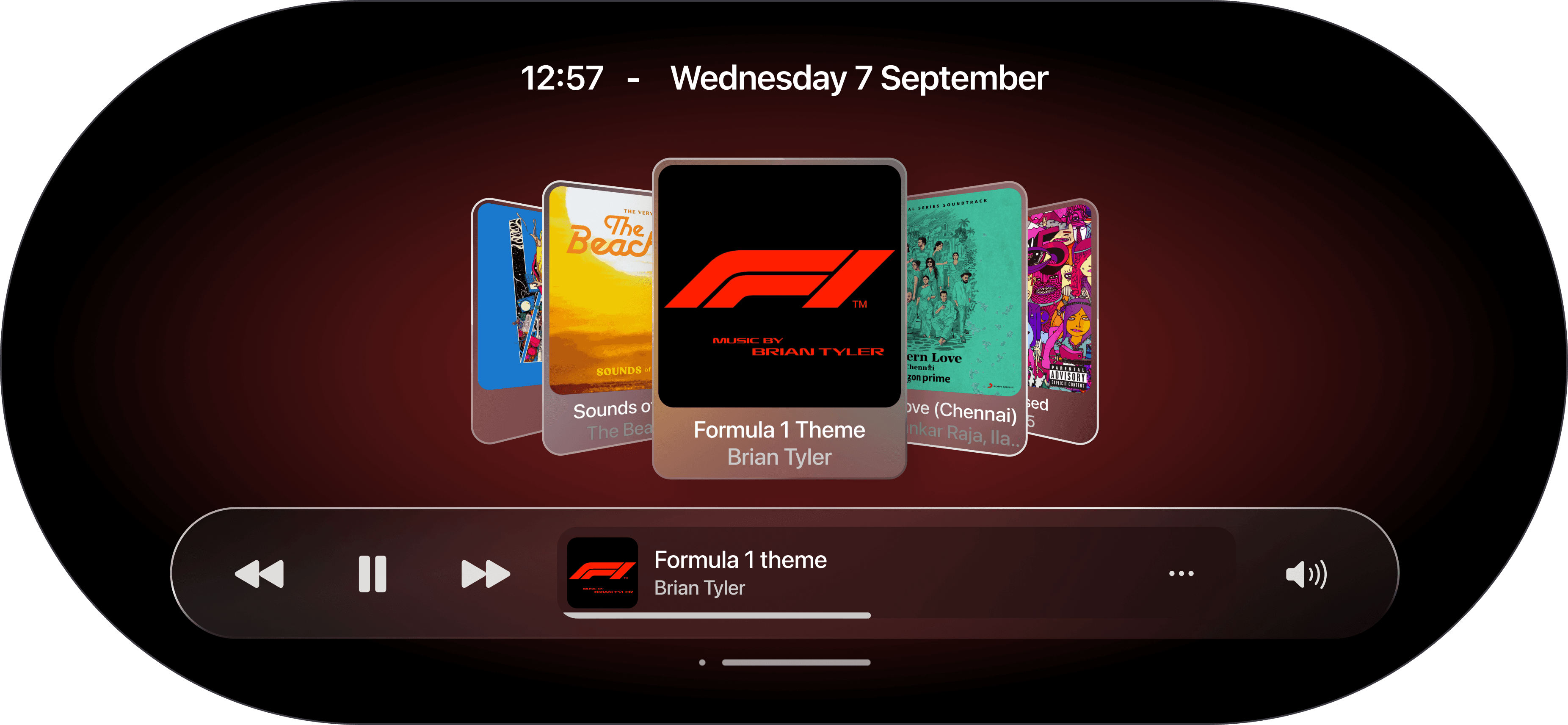
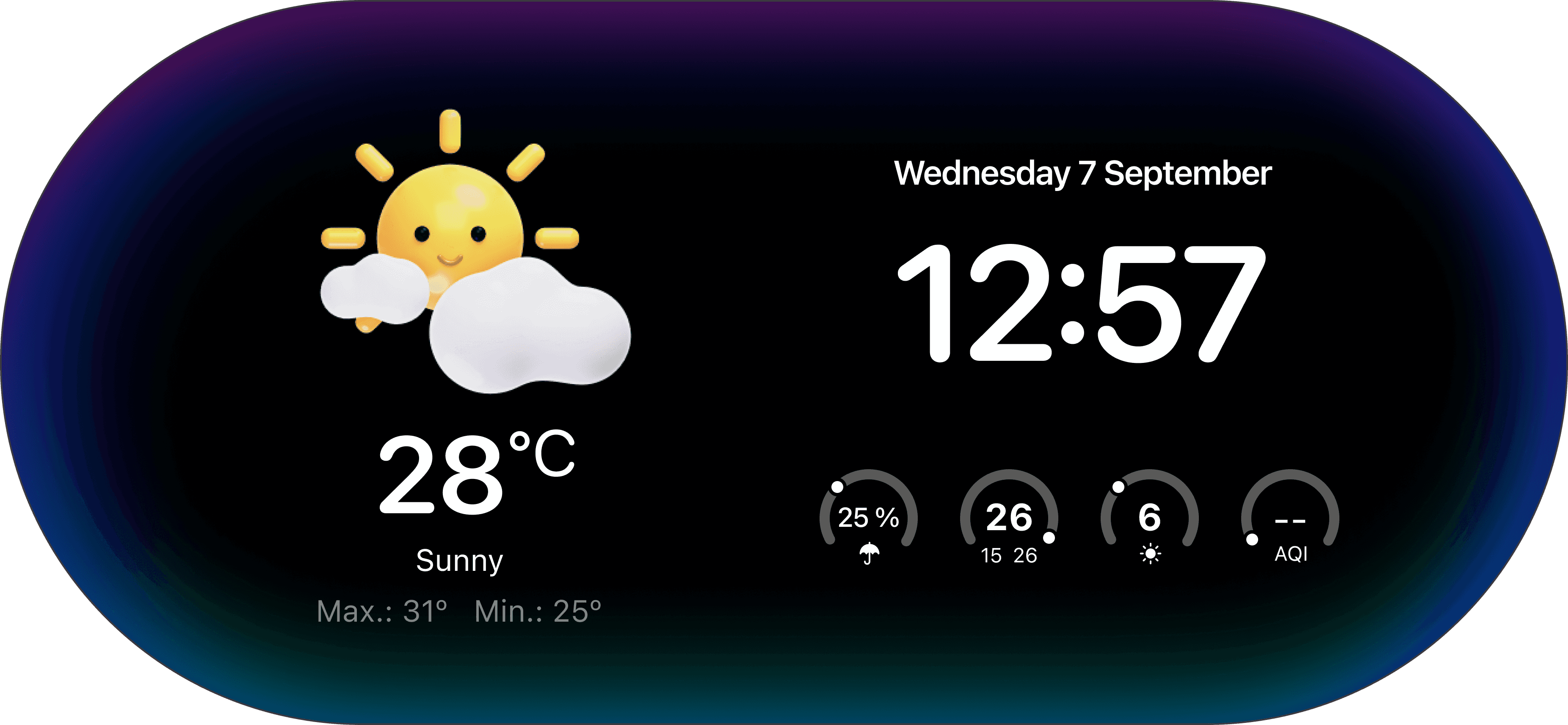
With the product form established, I designed the final interface screens.
The interface was designed to be:
glanceable
minimal
easy to interact with
visually calm
The UI uses clear hierarchy, gradients, and large controls to allow quick interactions.
Context & Scale
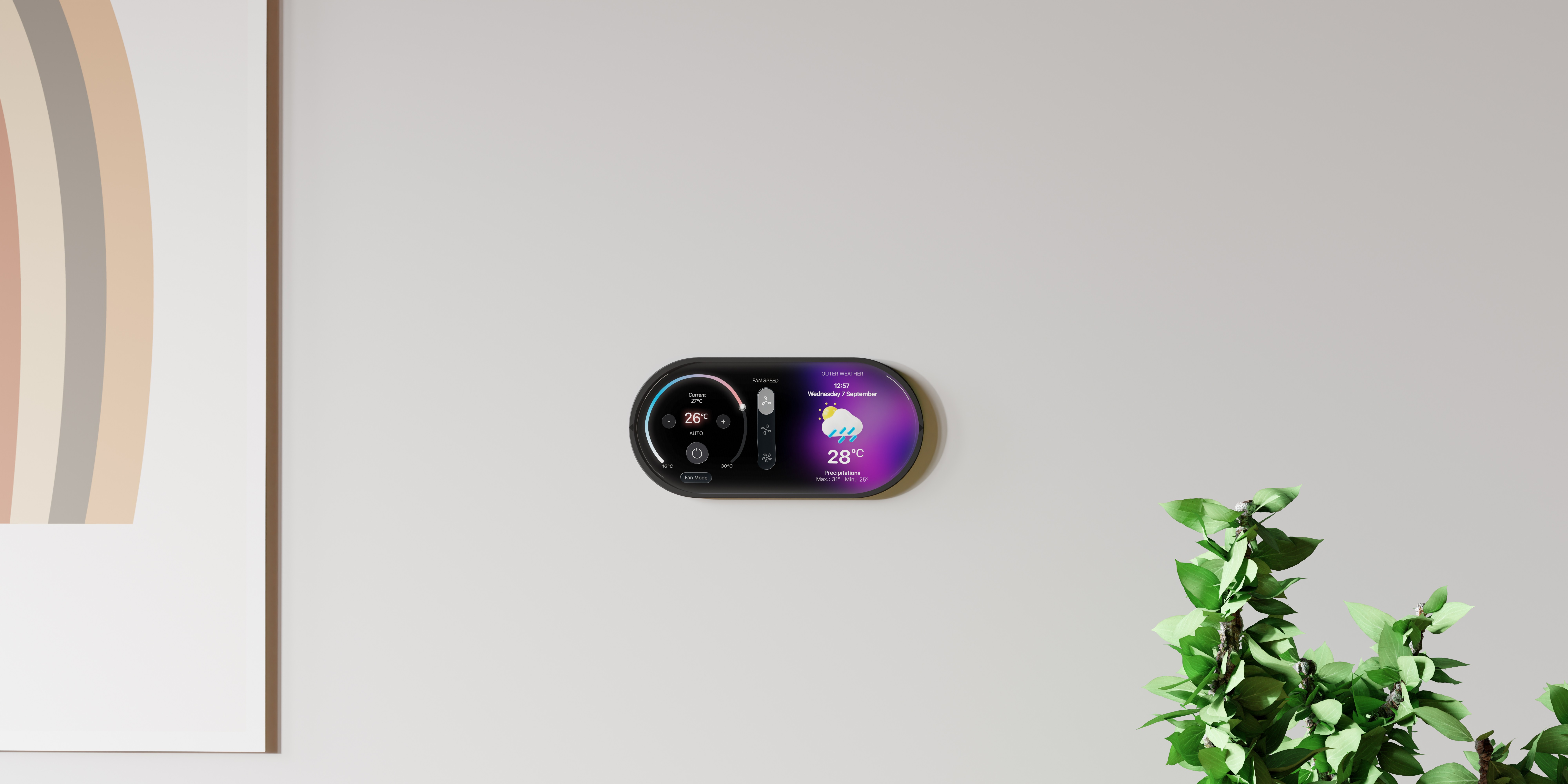
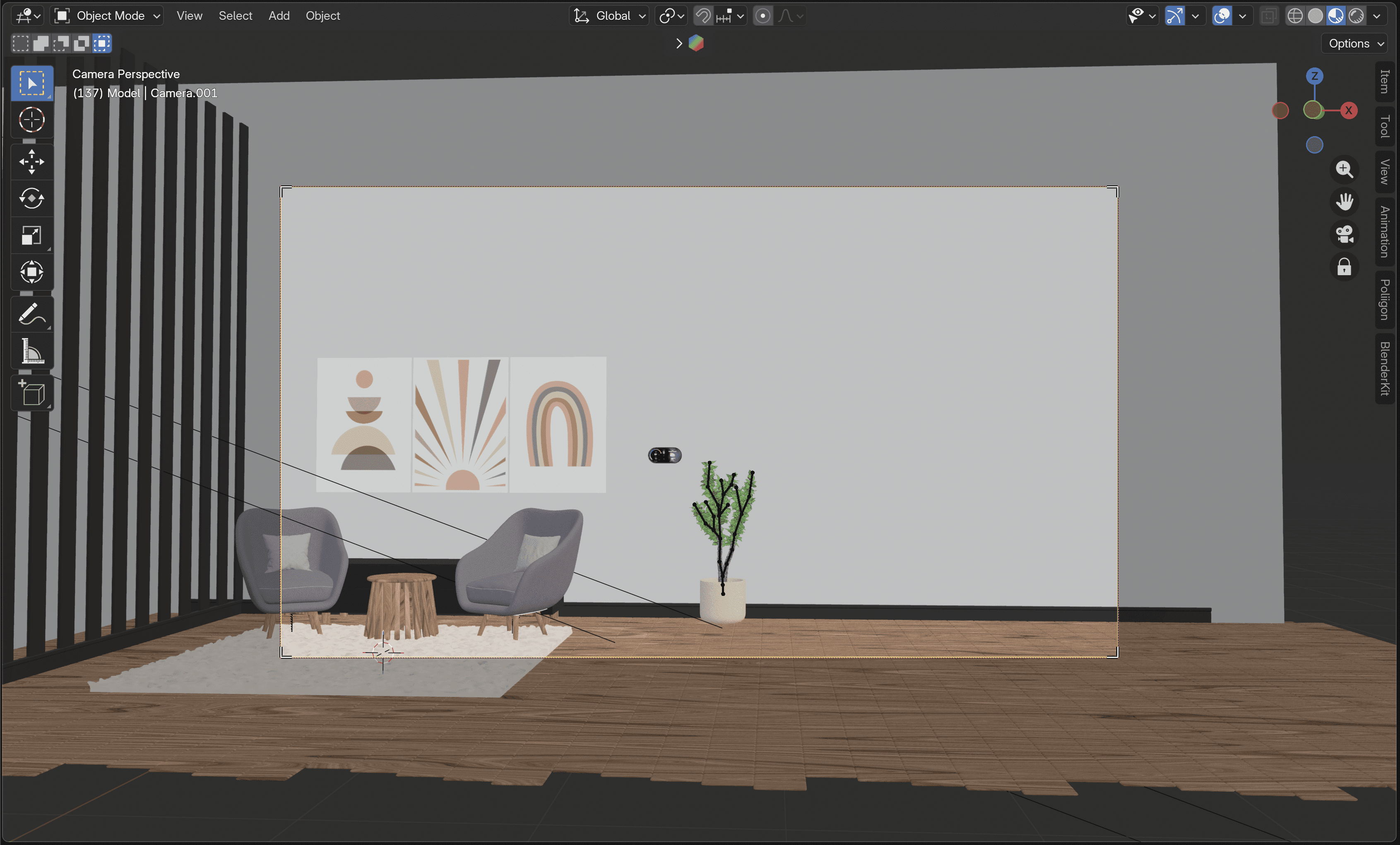
To better understand the scale of the product, I placed the device in a home environment scene.
This helped evaluate how the device would sit within everyday living spaces and how visible the interface would be from a distance.
Final Product & Product Video
Aura Home brings together home control, environmental information, and media into a single ambient interface device.
The concept demonstrates how physical devices and digital interfaces can merge to create simpler and more intuitive smart home interactions.
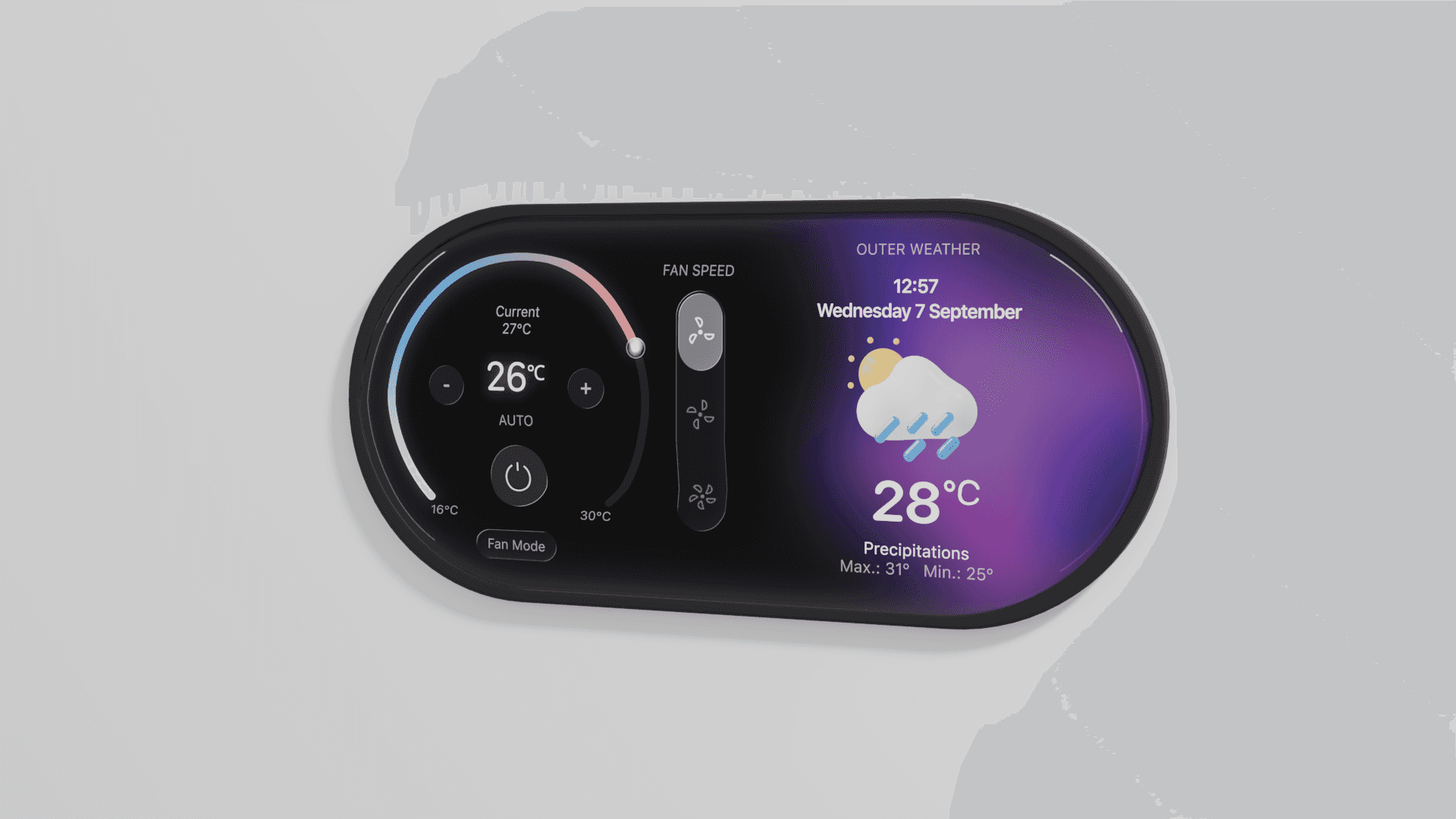
A short product visualization video demonstrates the interface and product form in motion.
The video showcases how users might interact with Aura Home in a real home environment.
What I Learned
Working on Aura Home allowed me to explore how digital interfaces and physical product design intersect. Since this was a speculative concept, the project became an opportunity to experiment with new tools and workflows.
Rapid 3D Learning
To better visualize the device, I learned the basics of Blender in a very short time frame. While I’m not yet an expert, I was able to quickly understand core 3D concepts such as modeling, lighting, and rendering, which helped bring the product concept to life.
Using AI for Early Concept Exploration
AI tools helped accelerate the ideation phase by allowing me to quickly explore different product forms and visual directions before committing to a final design. This made the early concept exploration much faster and more flexible.
Visual Storytelling Through Motion
Creating a short product video helped me better understand how the device would feel in a real environment. Motion and lighting made the concept more tangible and allowed the product to be experienced beyond static screens.
Bridging Interface Design with Physical Products
This project pushed me to think beyond traditional screen-based interfaces and consider how UI design translates into physical devices and real-world environments.